 Back to Blog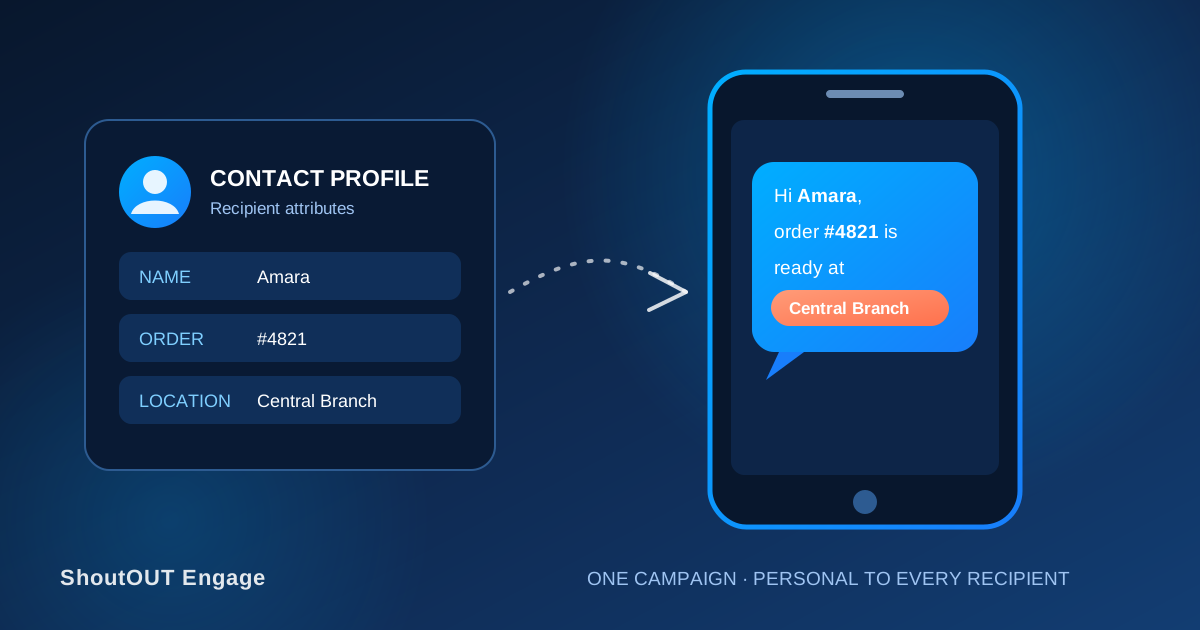
One message template, sent to 500 contacts, can produce 500 different texts — each with the right name, date, or reference number for that person. That’s what custom attributes do in ShoutOUT Engage: you write the structure once, map its placeholders to contact fields, and the platform fills in the rest per recipient.
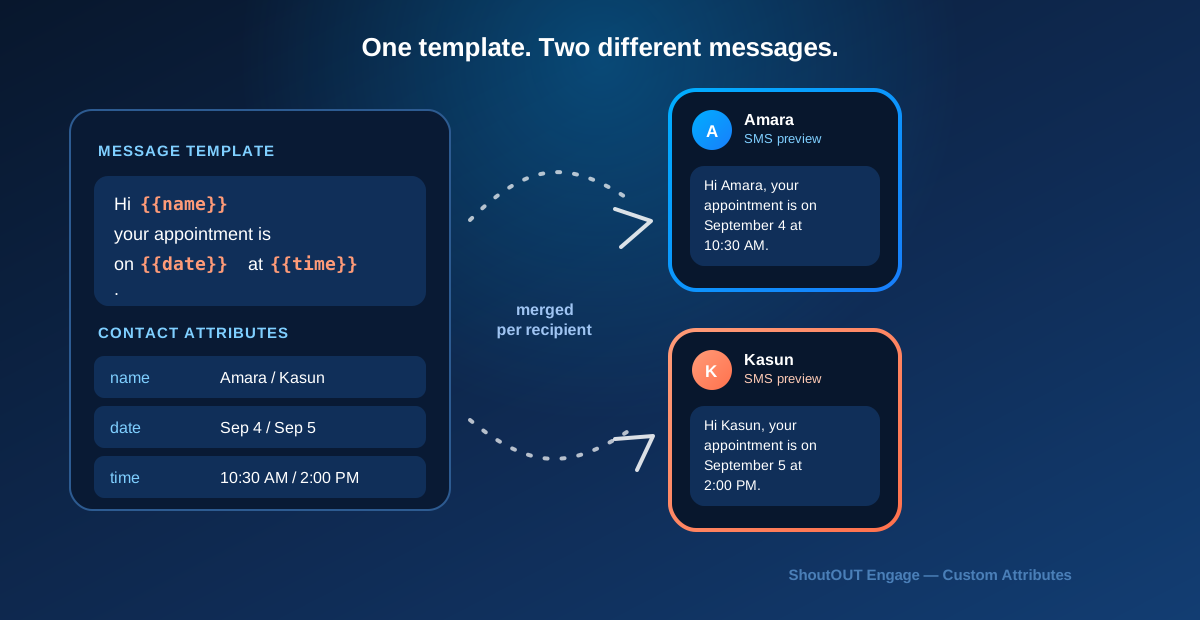
See it work: one template, two recipients
Template:
Hi {{name}}, your appointment is on {{date}} at {{time}}.
Recipient A (name: Amara, date: September 4, time: 10:30 AM):
Hi Amara, your appointment is on September 4 at 10:30 AM.
Recipient B (name: Kasun, date: September 5, time: 2:00 PM):
Hi Kasun, your appointment is on September 5 at 2:00 PM.
Same template, same campaign, two completely different final messages — because each contact’s own attribute values fill the placeholders at send time.
What happens when a recipient is missing an attribute?
This is the part a template-and-example alone won’t show you, and it’s where personalized campaigns most often go wrong. If a contact record has no value for {{date}}, you have three options, not one default behavior:
- Set a fallback value. Configure a default string (e.g. “your upcoming visit” instead of a blank) so the message still reads naturally when data is missing. Use this for attributes where a generic fallback doesn’t create confusion.
- Exclude the contact from this send. For attributes where a fallback would be misleading or incomplete — a missing order ID, for example — filter that contact out of the campaign segment rather than sending a broken message. It’s better for someone to get no text than a text that references data that doesn’t exist.
- Route to a different, less-specific message. If a meaningful share of your segment is missing one attribute, consider a second, simpler campaign for that subset instead of forcing every contact through the same personalized template.
Before sending, check what proportion of your selected audience is missing each attribute you’re using. If it’s more than a handful of contacts, that’s a data-quality problem worth fixing before the next send, not just working around this time.
Testing before you send: long values and incomplete records
A template that looks fine with “Amara” and “Kasun” can break with real data. Before confirming a personalized campaign, test with:
- A long value — a full legal name, a long product name, or a multi-word location — to confirm the message doesn’t run over SMS length limits or split awkwardly.
- An incomplete record — a contact missing one of the attributes you’re using — to confirm your fallback or exclusion rule actually applies.
- An unusual character or formatting case — an apostrophe in a name, a date format that differs from what you expect — to confirm it renders as plain text, not a broken placeholder.
ShoutOUT Engage’s live preview lets you check individual contact records against the template before the campaign goes out — use it on a few edge-case contacts, not just the first name on your list.
Personalization across industries
- Retail and ecommerce:
Hi {{name}}, order {{order_id}} is ready for pickup at {{location}}. - Healthcare and appointments:
Hi {{name}}, your appointment with {{provider}} is on {{date}} at {{time}}. - Education:
Hi {{parent_name}}, {{student_name}}'s report card is now available in the parent portal. - Membership programs:
Hi {{name}}, your {{tier}} membership renews on {{renewal_date}}. - Events:
Hi {{name}}, your ticket for {{event_name}} is confirmed. Gate opens at {{time}}.
Each of these depends on the same underlying mechanism — template plus per-contact attribute data — but the missing-data and fallback decisions differ by field. A missing membership tier is a data problem to fix; a missing gate time on an event ticket might mean the contact shouldn’t get that message at all.
Privacy: don’t personalize with data that shouldn’t be in a text
Custom attributes make it easy to insert whatever field exists on a contact record — which means it’s also easy to put something sensitive into an SMS that has no encryption and can sit on a locked screen. Avoid using attributes that carry health information, financial details beyond what’s needed for the transaction, or any other sensitive personal data as a personalization field, even if it’s technically available. A membership tier or first name is fine; a diagnosis code or account balance usually isn’t.
Where this fits in a campaign
Personalization happens at the Design step when building a campaign, alongside your segment choice from the Setup step — see scheduling a campaign in ShoutOUT Engage for how the full campaign flow connects segments, message design, and delivery timing. ShoutOUT Engage customer Saaraketha Organics used custom attributes this way in production; read the personalized SMS marketing case study for the result.
Stop guessing whether your data is ready — check it before you send
The failure mode with personalized SMS isn’t the template, it’s the data behind it: missing fields, stale values, or an untested long name that breaks formatting. Before your next campaign, pull a handful of edge-case contacts — one with a missing attribute, one with an unusually long value — and preview the message against them specifically, not just against your own contact record.
FAQ
What happens if a contact is missing a custom attribute used in my message?
You choose: set a fallback value so the message still reads naturally, exclude that contact from the send, or route them to a simpler, non-personalized message instead.
Can one SMS include multiple custom attributes?
Yes. A single message can combine several fields — a name, a date, a location — from the same contact record.
How do I test a personalized message before sending it to everyone?
Use the live preview against a few specific contact records, including at least one with a long attribute value and one with an incomplete record, before confirming the campaign.
Should I ever personalize a message with sensitive customer data?
No. Avoid using health, financial, or other sensitive personal data as a personalization field in SMS, even when that data exists on the contact record.
Do I need a separate campaign for contacts missing key data?
Not always, but it’s worth considering when a meaningful share of your segment is missing an attribute the message depends on — a simpler, non-personalized message may serve that group better than a fallback string.


 Capterra
 Software Advice
 G2 Crowd
 Gartner