 Back to Blog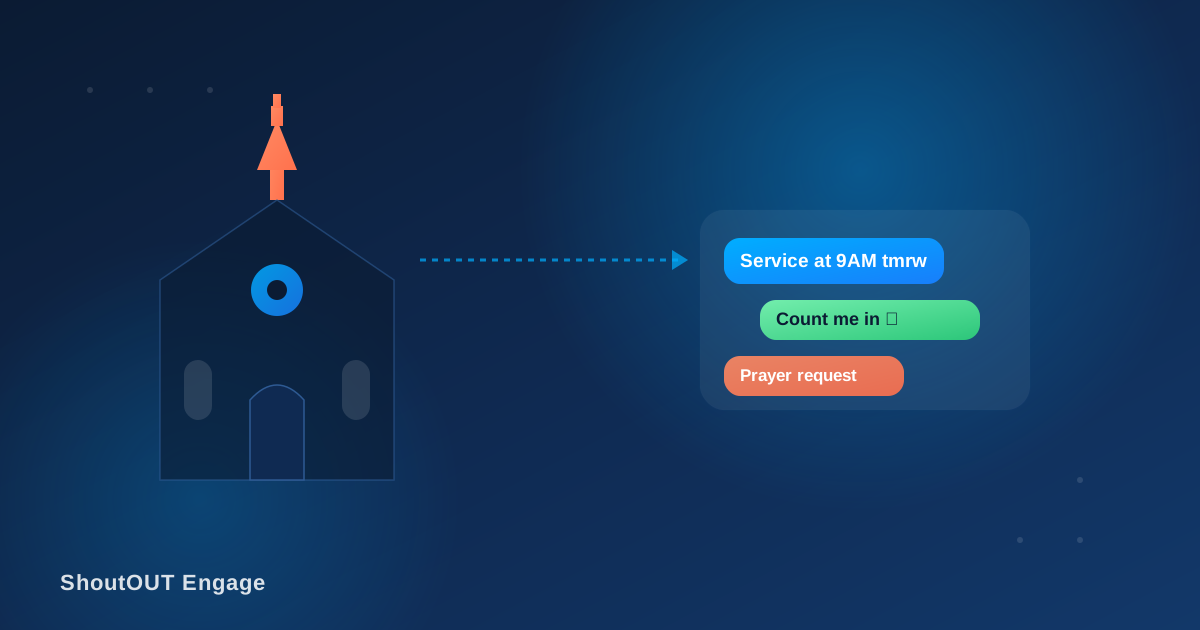
Grace Community Church has 400 people on its contact list, three services a weekend, a volunteer roster that turns over every few months, and a Wednesday night prayer group. Their admin used to send updates through a mix of email, a phone tree, and the Sunday bulletin — until a snowstorm cancelled a Saturday evening service and half the congregation showed up anyway, because the cancellation email went out at 7 a.m. and most people don’t check church email before noon on a weekend.
That’s the case for SMS in a church setting: it’s not a nicer version of the newsletter, it’s the channel for anything that’s time-sensitive, personal, or needs a response. Gartner has reported SMS open and response rates “as high as 98% and 45%, respectively,” against 20% and 6% for email — a gap wide enough that it changes which channel a cancellation notice or a same-day schedule change should go out on.
What actually goes wrong with church communication today
Before adding a channel, it helps to name the specific failure modes SMS is meant to fix:
- Time-sensitive notices arrive too late. Email and printed bulletins have a lag that a same-day cancellation or parking change can’t absorb.
- Volunteer coordination depends on someone answering the phone. A missed call to confirm a nursery volunteer for Sunday means a scramble on Sunday morning.
- First-time visitors get one touchpoint and then silence. A welcome card at the door doesn’t survive the drive home.
- Prayer requests move slower than the need. A phone-tree prayer chain breaks the moment one person doesn’t pick up.
- Giving reminders get buried. A tithing reminder in a weekly email newsletter competes with everything else in that inbox.
Where SMS fits: complete message examples
Each of these is a finished message a church could send today, not a description of a use case.
Service reminder (sent Saturday evening):
Hi Amara, quick reminder: Grace Community’s 9:30 AM service is this Sunday. Doors open at 9:00. Reply STOP to opt out.
Volunteer confirmation (sent to the nursery team):
Hi Kasun, you’re on the nursery schedule for Sunday, Sept 6 (9:15–11:00 AM). Reply YES to confirm or NO if you need a swap.
New-visitor follow-up (sent the Monday after a first visit):
Hi Priya, thank you for visiting Grace Community this weekend! If you’d like to learn more about getting connected, reply INFO and Pastor Dave will follow up this week.
Event registration reminder:
Hi Tharindu, you’re registered for the youth retreat (Oct 10–12). Final packing list and pickup time: [link]. Questions? Reply here.
Emergency/urgent alert (weather cancellation):
URGENT: Due to the storm warning, tonight’s 6 PM service is cancelled. We’ll be back Sunday at 9:30. Stay safe.
Giving reminder (month-end):
Hi Amara, if you’d like to give toward this month’s building fund, here’s the link: [link]. Thank you for your continued support.
A prayer request notice deserves a different pattern — see the privacy note below before sending anything like it.
Setting this up: a workflow, not a broadcast list
Sending one message to everyone on the list is the fastest way to make SMS feel like spam. A working setup looks more like this:
- Segment before the first send. Build separate groups for the congregation at large, volunteers by team (nursery, greeters, worship), small groups, and first-time visitors. A weather cancellation goes to everyone; a nursery schedule change goes to one team.
- Schedule around the calendar, not around whoever’s free to hit send. Set the Saturday evening reminder and the Monday follow-up in advance so they go out consistently, independent of who’s on duty.
- Personalize with the recipient’s name and the specific detail that matters to them — their volunteer slot, their event registration, their small group night — rather than a generic “Hi there.”
- Send under a recognizable sender name, so a text from “Grace Community” doesn’t get mistaken for spam from an unknown number.
- Keep links short and specific. A registration link, a giving link, or a packing-list link should go straight to the relevant page, not to the church’s homepage.
How often should a church text people?
Frequency is where SMS goodwill is won or lost. A reasonable default is: reminders tied to something the recipient already opted into (their own volunteer shift, their own registration) as often as needed, general congregation updates no more than once or twice a week, and true emergency alerts whenever they’re needed, without a cap. If a congregant starts replying STOP, that’s a signal the frequency or relevance is off for that list — not something to just re-add them to.
Privacy: prayer requests and sensitive information
Prayer chains are one of the most requested SMS use cases and one of the easiest to get wrong. A person’s medical diagnosis, a family crisis, or a name tied to a sensitive situation is not the same as a service reminder, and it shouldn’t be broadcast to a general list. Two practical rules:
- Only send prayer requests to a volunteer group that opted specifically into that list, not the full congregation.
- Ask the requester what can be shared and in how much detail before summarizing their situation into a text message — don’t assume a first name and general topic is safe to send by default.
If a request is too sensitive for text, a phone call from a pastor or a direct conversation is still the right channel. SMS speed doesn’t override that judgment call.
Consent and compliance vary by region — don’t treat them as one rule
Message consent and opt-out requirements differ by country and by carrier, and they change over time. In the U.S., for example, businesses are required to honor opt-outs sent through any reasonable method within a set window under current FCC rules. A church operating across state or country lines should confirm current local requirements — including how consent is captured and how opt-outs are handled — rather than relying on a single blanket policy copied from another organization. When in doubt, get explicit opt-in before adding anyone to a list, and make opt-out (“reply STOP”) available from the first message.
Where ShoutOUT fits into this
Segmentation by group, scheduled sends, personalized message content, a recognizable sender name, and link tracking are all part of ShoutOUT’s group text messaging service for churches, which is built specifically around the workflow above rather than general-purpose bulk SMS. This post is about the communication playbook itself; that page covers how the platform supports it.
FAQ
Do churches need consent before texting congregants?
Yes, and the specific consent and opt-out requirements vary by country and carrier. Get explicit opt-in before adding anyone to a list and include a clear opt-out option in your first message.
How is a prayer chain different from a general announcement list?
A prayer chain often carries sensitive personal information, so it should go only to a volunteer group that opted into that specific list, with the requester’s permission on what to share — not to the full congregation.
How often is too often to text a congregation?
General updates more than once or twice a week tend to push people toward opting out. Reminders tied to something a person already signed up for (their shift, their registration) can go out as needed without the same limit.
Can the same system send both routine reminders and emergency alerts?
Yes. Scheduled reminders and urgent same-day alerts can run through the same setup, as long as segmentation is in place so an emergency notice reaches the right group immediately.
Is a text message reminder actually more effective than email for church updates?
Industry-reported SMS open and response rates are meaningfully higher than email’s (Gartner cites SMS as high as 98% opened versus 20% for email), which is why time-sensitive notices like cancellations are better suited to text than to a newsletter.


 Capterra
 Software Advice
 G2 Crowd
 Gartner