 Back to Blog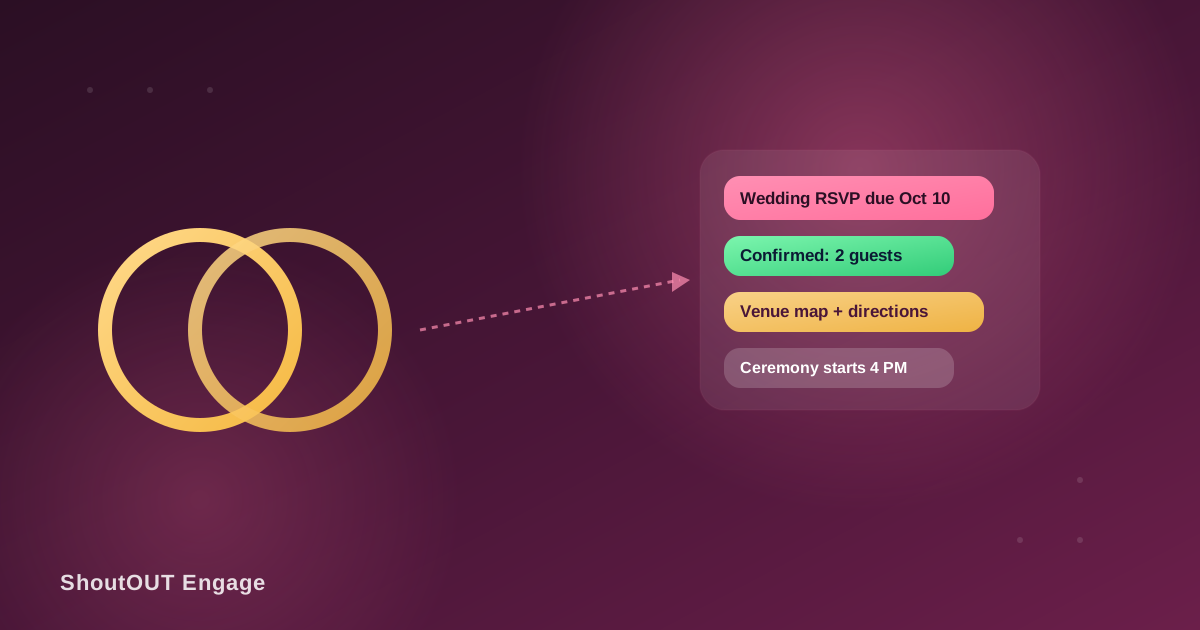
“Loved using this platform for our wedding invitation to keep our guests up-to-date of any possible changes in venue and times… unlike other platforms, we were able to target our audience and focus on key attendees,” said Nithushan & Abinaya after using ShoutOUT’s SMS alerts for weddings to plan their big day.
The part that trips up most couples isn’t sending invitations, it’s what happens after: an RSVP deadline that keeps slipping, a spreadsheet where “confirmed” means something different depending on who last updated it, and a caterer asking for a final headcount while half the missing responses aren’t declines, they’re guests who meant to reply and never got around to it. That’s the specific gap SMS closes. Not because a text looks nicer than a card, but because it reaches a guest’s phone in the moment that matters and gets a reply back into the planning process instead of sitting in a stack of unanswered RSVP cards.
How does RSVP tracking actually work with SMS?
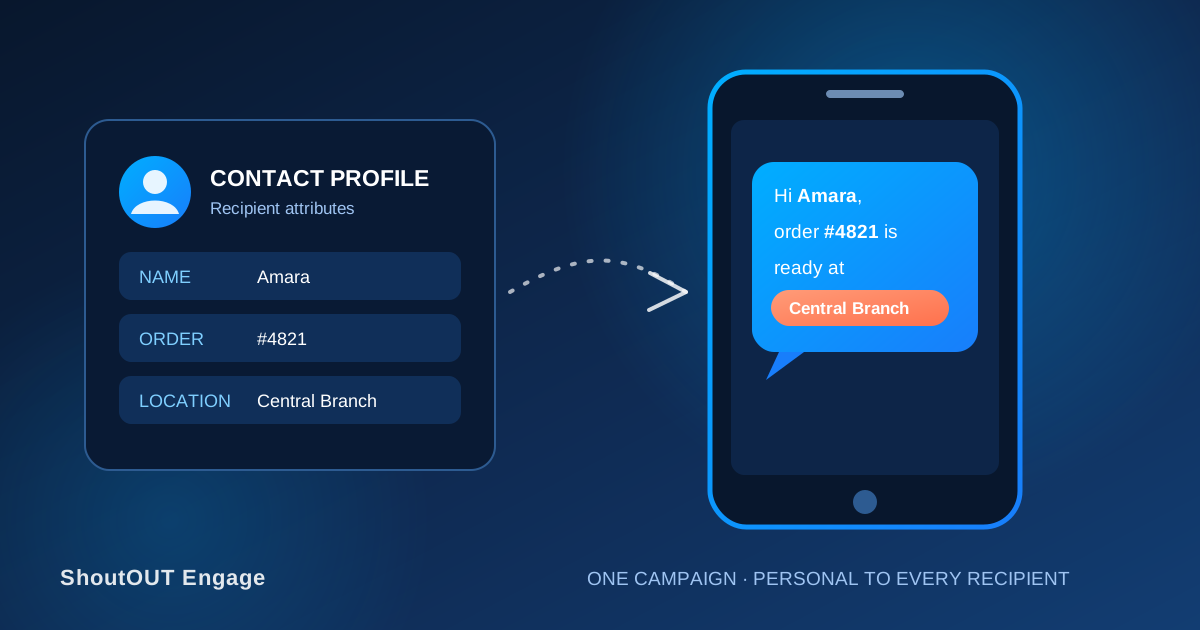
A personalized RSVP text confirms attendance and updates the headcount without anyone re-entering it into a spreadsheet by hand. The mechanism is one template filled in per recipient:
Template:
Hi {{name}}, please confirm your attendance for {{event_name}} by {{rsvp_deadline}}: {{rsvp_link}}. Bringing a guest? Let us know how many.
Recipient A (name: Nadia, event_name: Ishara & Ruwan's Wedding, rsvp_deadline: Oct 10):
Hi Nadia, please confirm your attendance for Ishara & Ruwan’s Wedding by Oct 10: [link]. Bringing a guest? Let us know how many.
Recipient B (name: Suresh, event_name: Ishara & Ruwan's Wedding, rsvp_deadline: Oct 10):
Hi Suresh, please confirm your attendance for Ishara & Ruwan’s Wedding by Oct 10: [link]. Bringing a guest? Let us know how many.
Same template, same send, two different guests, and each message reads like it was written just for them. This is the same mechanism behind personalizing any SMS with custom attributes: a name, an event name, and a deadline are attribute fields on a contact record, filled in per recipient at send time, so the couple isn’t manually typing out every text one by one.
Where SMS fits: complete message examples
Beyond the RSVP itself, a wedding or event generates several distinct messages, each with its own timing and purpose. Here’s each one as a finished message, not a description of a use case.
RSVP reminder (sent to guests who haven’t responded, one week before the deadline):
Hi Tharindu, quick reminder: Ishara & Ruwan’s wedding RSVP deadline is this Friday. Reply here or use the link to confirm: [link]. We’d love to know if you’re joining us!
Headcount confirmation (sent right after a guest RSVPs “yes”):
Hi Nadia, you’re confirmed for 2 guests at Ishara & Ruwan’s wedding on Oct 17. Reply if that number changes before Oct 10.
Venue or time change:
Update: the ceremony location has moved to Cinnamon Grand’s Garden Terrace (same time, 4:00 PM) due to the weather forecast. Map: [link].
Day-of logistics (sent the morning of):
Today’s the day! Ceremony starts at 4 PM, doors open 3:30. Parking and shuttle info: [link]. See you there!
Post-event follow-up:
Thank you for celebrating with us! Photos are up here: [link]. We’re so glad you were part of our day.
What happens when a guest’s RSVP is unclear or wrong?
Treat any ambiguous or conflicting RSVP as unconfirmed until it’s resolved directly with the guest, rather than guessing which way to count them for the final headcount. The specific situations worth having a rule for:
- A guest replies “maybe” or doesn’t answer clearly. Don’t count them either way; send one direct follow-up asking for a yes or no before the final headcount is due.
- A guest RSVPs for a different number than invited. A plus-one they didn’t ask about, or a family member added without notice, should get a quick confirmation message before it goes to the caterer, rather than assuming the higher or lower figure is correct.
- A family RSVPs once for multiple people without naming who’s coming. Ask directly, by name, especially anywhere dietary information is collected per person, since “party of four” doesn’t tell the caterer who eats what.
- A guest cancels after already confirming. Update the headcount immediately. If the change comes late enough to affect catering or seating, flag it to the vendor rather than letting the discrepancy surface only at the final count.
- A guest never responds at all. After the second reminder goes unanswered, a short, direct message (“We need a final headcount by Friday, can you confirm either way?”) gets a better response than a third generic reminder.
SMS for events beyond weddings
The same RSVP mechanics apply anywhere an organizer needs a reliable headcount and a fast way to reach attendees:
- Corporate event:
Hi {{name}}, please confirm your seat for the Q4 Partner Summit (Nov 12) by Nov 1: {{rsvp_link}}. Dietary requirements? Reply here. - Milestone birthday or anniversary party:
Hi {{name}}, you're invited to Priya's 50th on Sept 20! RSVP by Sept 10: {{rsvp_link}}. - Gala or fundraiser:
Hi {{name}}, tables are filling up for the Annual Gala (Oct 5). Confirm your seats and any table preferences: {{rsvp_link}}. - Conference or workshop:
Hi {{name}}, your registration for the Marketing Summit is confirmed for Track B. Check-in opens 8 AM: {{link}}.
Each depends on the same setup as the wedding examples: a segment of invitees, a personalized template, and a scheduled reminder aimed only at whoever hasn’t responded yet.
Setting up the workflow: segments, schedule, and sender
Texting every contact on the guest list the same message at random intervals produces the same fatigue an unread email chain does. A working setup looks more like this:
- Segment the guest list before the first send. Separate groups for family, wedding party, general guests, and vendors, so a vendor confirmation doesn’t sit in the same list as a guest RSVP reminder.
- Schedule reminders in advance rather than sending them manually when someone remembers, so a one-week and a final reminder go out on time regardless of how busy planning gets that week.
- Personalize with the guest’s name and current RSVP status, so confirmed guests don’t get a “please RSVP” reminder meant for people who haven’t responded.
- Send under a recognizable name — the couple’s names, or the event name — so a text doesn’t get mistaken for spam from an unknown number.
- Keep links specific. An RSVP link, a venue map link, or a shuttle schedule should go straight to that page, not to a general wedding website homepage the guest has to search through.
- Cap RSVP reminders at two or three total, spaced days apart, and stop them the moment a guest confirms. Logistics and day-of updates should go out only when something is genuinely new or changing, not as routine check-ins.
What shouldn’t go into a guest text message?
Anything one guest shouldn’t see about another guest, and anything more sensitive than the event itself requires. A wedding or event guest list often carries information that shouldn’t travel further than the organizer:
- Don’t include one guest’s RSVP status, plus-one, or dietary information in a message to another guest, even by accident through a group-style send. Keep RSVP confirmations one-to-one.
- Route dietary restrictions tied to a medical condition or religious requirement to the vendor who needs them (the caterer), rather than broadcasting them in a general event update to the guest list.
- Keep a private venue address (a home wedding, a small gathering) out of any message that could be forwarded beyond the invited list — unlike a public venue address for a corporate event or a ticketed gala, where wider visibility isn’t a risk.
Consent and opt-out requirements for text messaging also differ by country and by carrier, and change over time. Anyone collecting phone numbers for RSVPs should confirm current local requirements, including how consent is captured, rather than assuming one rule applies everywhere. In practice: get the number directly from the guest, not from a shared family contact list, and include an opt-out option in the first message.
Where ShoutOUT fits into this
Guest segmentation by group, scheduled RSVP reminders, personalized message content, and a recognizable sender name are all part of ShoutOUT’s text message alerts for weddings, built around invitations, RSVP tracking, and day-of logistics rather than general-purpose bulk SMS. This post covers the RSVP and event-communication workflow itself; that page covers how the platform supports it, and carries the Nithushan & Abinaya testimonial quoted above.
FAQ
Can guests traveling or living abroad receive wedding RSVP texts?
Yes, as long as their phone number is entered with the correct country code and their carrier supports SMS delivery from your sending number or ID. Delivery speed and formatting requirements vary by country, so it’s worth sending a test message to any international guests ahead of the main RSVP round.
Should our RSVP be a link guests click or a text they reply to?
Use whichever matches what you need to collect. A reply-based RSVP (“Reply YES or NO”) is faster for a simple headcount. A link to a form is better when you also need meal choice, plus-one names, or dietary details — anything with more than one field.
We have two separate guest lists (one kept by each side of the family) — how do we manage that in one system?
Import both lists as separate segments first, so you can catch duplicate contacts before merging them into a single combined list. Once merged, treat it as one segment for RSVP reminders and day-of updates, so no guest gets the same reminder twice from two different lists.
Do guests need to save your number to reply to an RSVP text?
No. A guest can reply directly to the number or sender ID a message came from without saving it as a contact first, as long as the platform supports two-way replies on that number.
What if a guest clicks the RSVP link but never completes it?
Link click tracking shows you who opened the link without confirming, which is a different group from guests who haven’t engaged at all. Follow up with that specific group with a short, direct nudge (“Looks like you started your RSVP — need help finishing it?”) instead of re-sending the same reminder to everyone.


 Capterra
 Software Advice
 G2 Crowd
 Gartner